Carrel for iPhone
The companion to Carrel on your computer. The classes you've saved come with you, so you can ask questions, practice and review between classes or on the bus.
The beta is open. Try Carrel for iPhone now through TestFlight, Apple's app for testing new apps. It's free, and it reaches the App Store in November 2026, together with Carrel for Mac and Windows.
Join the iPhone betaOpen this page on your iPhone, tap the button and follow the steps: TestFlight installs first, then Carrel.
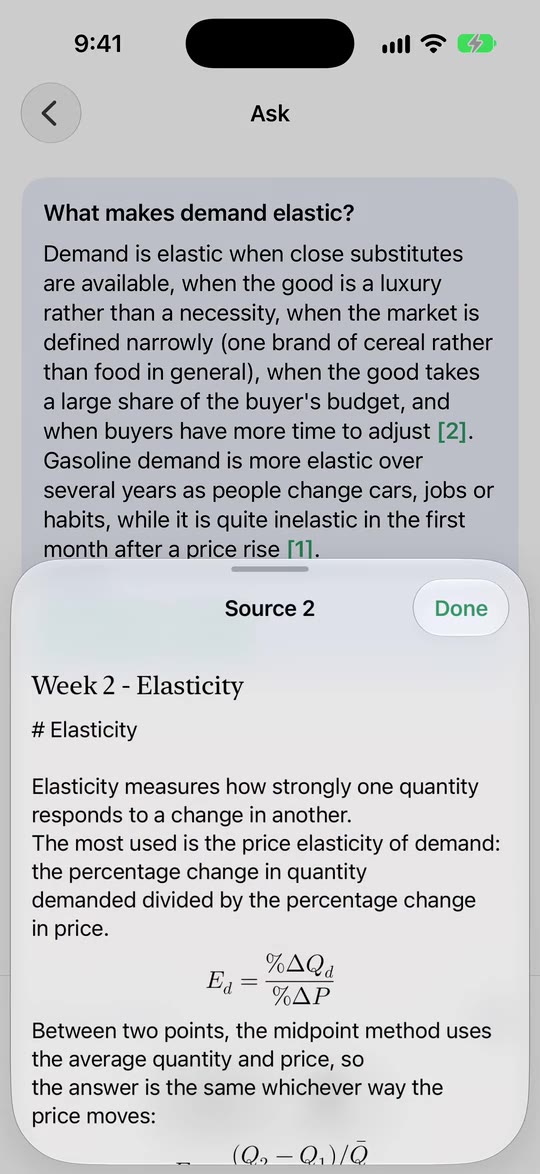
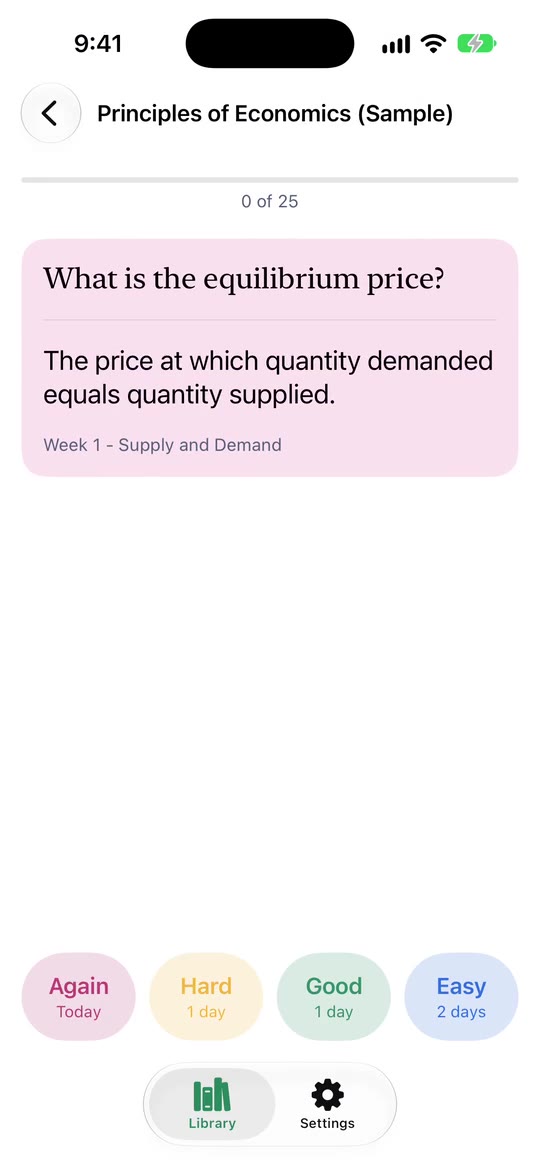
Your classes, on your phone
Turn on Sync to iPhone in Carrel on your computer, and your classes, their text, flashcards, quizzes and summaries appear on your iPhone through your own iCloud Drive. New material shows up on its own after it syncs.
On Windows, syncing needs iCloud for Windows, free in the Microsoft Store. Sign in to it with the same Apple Account (Apple ID) you use on your iPhone, and turn on iCloud Drive. Carrel's Settings walks you through it.
Ask, with the sources to prove it
Ask a question about a class and get an answer drawn from your own lectures, slides and readings, with each point linked to the passage it came from. Tap a source to read it. Answers can come from:
- Apple Intelligence on your iPhone, with nothing to set up and nothing leaving your phone (iOS 26 on an iPhone that supports it).
- Carrel Plus, the optional subscription. A subscription bought on your Mac works on your iPhone too.
- Your own Anthropic or Gemini key, if you have one.
With none of these, Ask still finds and shows the passages that match your question.
Practice that counts everywhere
Flashcards come back just before you'd forget them. Practice on your phone or your computer: both keep the same schedule, so a card you know on the bus doesn't come back that evening. Quizzes and exam summaries made on your computer are there too, and you can make new ones on the phone.
Private by design
There's no account to make. Your classes sync through your own iCloud Drive, not our servers, and without Carrel Plus the iPhone app never contacts Carrel's servers at all. Questions sent to Carrel Plus are answered and then discarded. Details are in the privacy policy.
What you need
- An iPhone with iOS 18 or later.
- Carrel on your computer, where your classes are downloaded and prepared.
- The same Apple Account (Apple ID) on your computer and your iPhone, with iCloud Drive
turned on:
- Mac: System Settings → your name → iCloud → iCloud Drive.
- Windows: install iCloud for Windows from the Microsoft Store, sign in with that Apple Account, and turn on iCloud Drive.
- One computer syncs to your iPhone at a time.
Questions? See Support.