Stored on your computerYour course library lives on your own drive, not on our servers.
Never used to train AICarrel AI never keeps your material or trains on it. How privacy works
Your usual school sign-inYou sign in to Canvas as always; your password never reaches us.
Save it. Ask it. Study it.
Sign in once. Carrel handles the rest.
Never lose a file
Every Canvas file, saved and organized by class
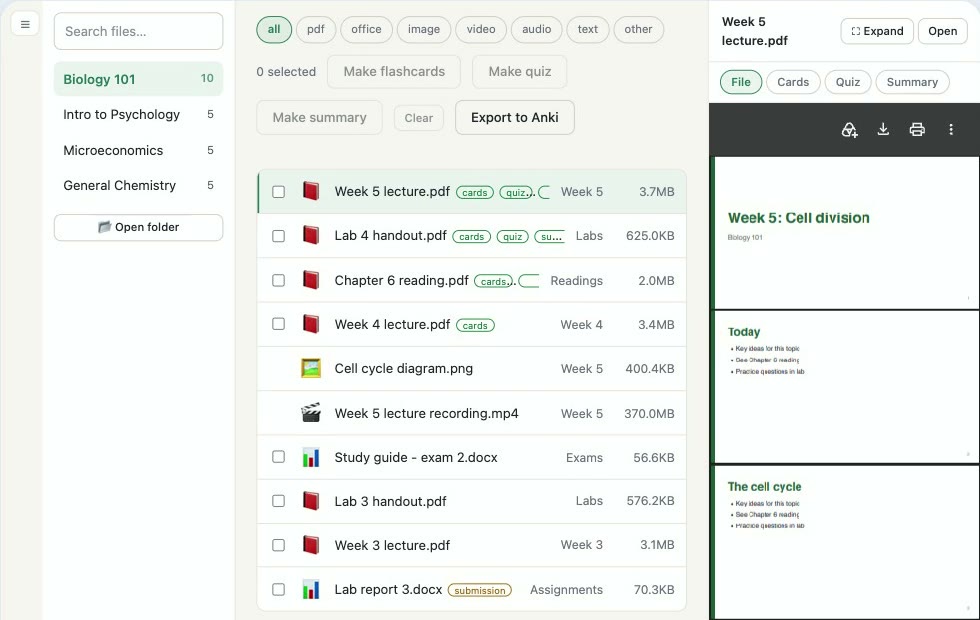
Pick your courses and Carrel downloads slides, readings, lecture captions and the articles your professor linked elsewhere, sorted into one folder per class and kept up to date.
Ask like a study buddy
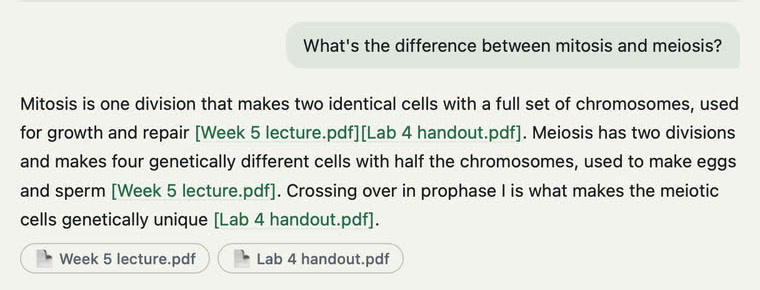
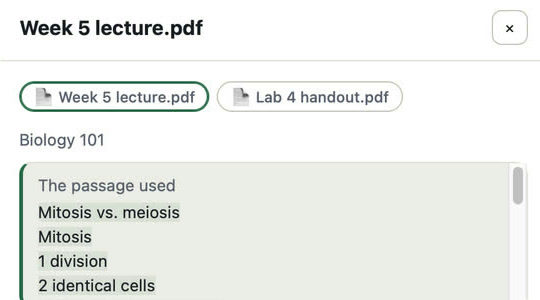
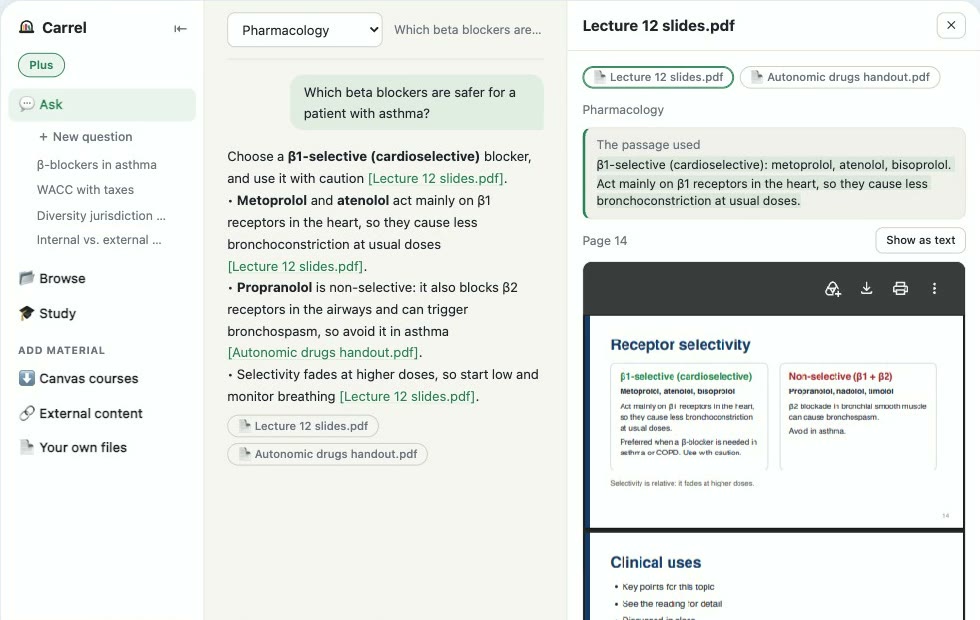
Ask anything, and see where the answer came from
Questions are answered from your own course material, not the whole internet. Every answer cites the lecture or reading it used, and one tap opens the passage.
Finals, sorted
Flashcards and practice quizzes from your own material
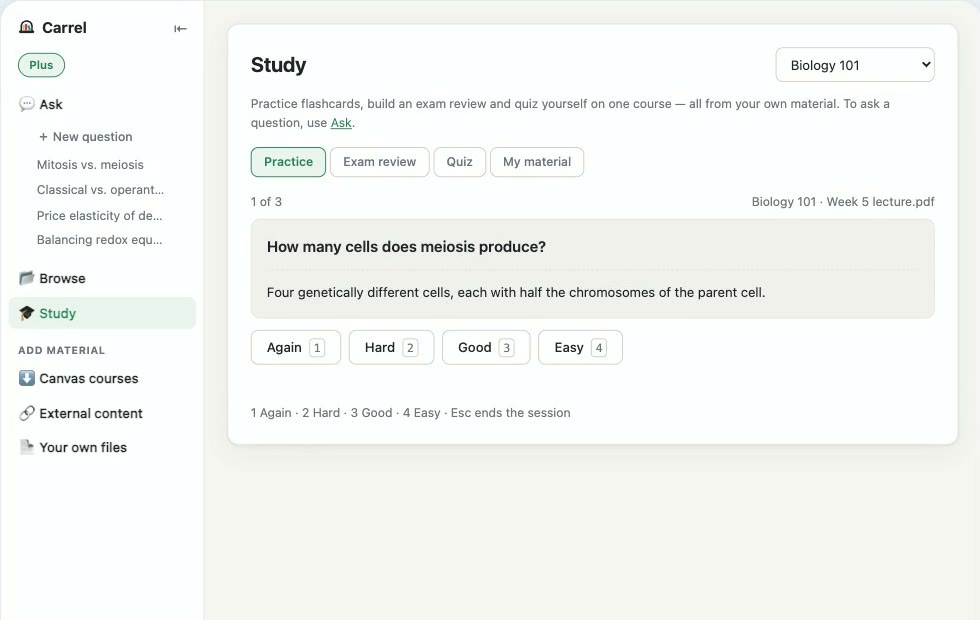
Turn any class into an exam review, a practice quiz, or flashcards that come back right before you'd forget them.
Watch it work, on your laptop and your phone
Classes downloaded and organized, a question answered with the lecture it came from, then the same classes on your iPhone.
Free to start · No ads · Mac, Windows and iPhone
Free to start
Try Carrel free on one course. Upgrade only if it earns its place.
Free
$0
Everything Carrel does, on one course, with the free AI on your computer or your own AI account.
Join the waitlistUnlimited
$4.99 once
Every course, every term, saved for good. Keep it as your course backup, or ask questions with the free AI on your computer or your own Gemini or Claude account.
Join the waitlistPlus
$49.99 / year
or $4.99 a month
Everything in Unlimited, with Carrel AI included. No setup required, and your questions are never stored or used for training.
Join the waitlistIs someone else covering school costs? Send them the page for parents
A small cost, and their study space stays theirs: Carrel keeps everything on your student's own computer, with no account for anyone to look into.
Be first in line
Carrel arrives in November 2026 on Mac, Windows and iPhone. You won't be charged anything today.
Will it work at my school?
If your classes use Canvas, almost certainly — you sign in the same way you always do. And you can try it free on one course before paying anything.
When can I get it?
November 2026, on Mac, Windows and iPhone at the same time. The first downloads go out in waitlist order, so the earlier you join, the sooner you're in.
Does it work on Windows? On my phone?
Yes. Carrel launches on Mac and Windows, with an iPhone companion for studying on the go. Your classes reach your iPhone through your own iCloud Drive: on Windows, install iCloud for Windows (free in the Microsoft Store) and sign in with the same Apple Account as your iPhone. Carrel Plus carries over between your Windows PC and iPhone that way too.
Which AI does it use?
Your choice. With Unlimited, bring your own: a free AI that runs right on your computer, or your own Google Gemini or Claude account. With Plus, Carrel AI is built in, with nothing to set up.
Does it make things up?
Carrel answers only from your own class material, not the whole internet, and shows the slide or page each answer came from, so you can check it. If your course doesn't cover something, it tells you so instead of guessing. Like any AI it can still get things wrong, which is why every answer shows its source.
Is my stuff private?
Your course library is saved on your own computer. With the AI on your computer, nothing leaves it. With an online AI, the text it needs to search and answer is sent to that AI. With Carrel AI (Plus), we never keep your questions or your material. Syncing to your iPhone uses your own iCloud Drive. We never sell your data. The full privacy policy
Will my work be used to train AI?
Not by us — we never keep your material. With the AI on your computer, nothing leaves it. Claude and paid Gemini accounts don't train on what you send, and neither does Plus. The one exception is a free Gemini key, which Google may use to improve its models; Carrel tells you before you choose it.
Is this cheating?
No. Carrel doesn't do your assignments — it helps you understand and review the material your course already gave you, the way a good study group would.
Is it OK to save my professors' materials?
Carrel only saves what you can already open in your own Canvas account — the same files you could download yourself. It keeps them on your computer for your own studying, and never shares or posts them for anyone else. Your professors' work stays with the students it was given to.
Join the waitlist
We'll email you when Carrel is ready. No spam, unsubscribe any time.